

Microsoft Outlook alternative: Backbuild Mail vs Outlook
Backbuild Mail includes email at your own domain free on every plan with a guided DNS setup, a mailbox for every member, outbound mail through your own Resend account, with the key held in a vault, and a public REST API with native MCP tools, with Backbuild Calendar beside it, Microsoft 365 sync coming soon, inside the free Backbuild workspace. Microsoft Outlook is the deeply entrenched enterprise mail and calendar client in Microsoft 365, with a mature integrated inbox, calendar, contacts, and tasks, an installed desktop client with deep offline, shared mailboxes with granular delegation, Microsoft Purview compliance, and Copilot AI, with email at a custom domain on a paid Microsoft 365 plan.
The short answer
Microsoft Outlook is the mail, calendar, contacts, and tasks client inside the Microsoft 365 suite, so on the Backbuild side that job is done by Backbuild Mail together with Backbuild Calendar and Contacts and the workspace that surrounds them: Backbuild Docs, Sheets, Slides, Files, Finances, the helpdesk, and the Secrets vault, all under one account with governance and a public API on every plan. Microsoft Outlook is a deep, mature, near-universally-adopted enterprise product, and it leads on the installed desktop client and deep offline, mature mobile apps, shared-mailbox delegation depth, Microsoft Purview compliance and eDiscovery, the Microsoft 365 and Teams ecosystem, and a huge free consumer tier. Backbuild Mail fits teams and businesses that want their own domain without a per-user subscription, a mailbox for every member, sending through their own Resend account, and mail their software and AI agents can drive, with single sign-on, role-based access, and a tamper-evident audit log on every plan; calendar sync with Microsoft 365 and shared-mailbox delegation are coming soon, so shared inboxes and a gradual calendar move favor Outlook today. A buyer whose first requirement is provider-blind, end-to-end encrypted mail should read the Proton Mail comparison instead, since neither Outlook nor Backbuild Mail is zero-access, and a team weighing the whole Office suite rather than mail and calendar should read the Microsoft 365 comparison.
Backbuild Mail vs Microsoft Outlook: feature by feature
Prices and limits below are quoted from each vendor's own pages, observed 2026-07-20. Microsoft 365 bills per user; annual billing prices are shown, after the July 2026 increase. The highlighted column is Backbuild Mail.
| Backbuild Mail Email at your own domain, with Backbuild Calendar, in the free workspace Free on every plan; workspace from $19/seat Get Started Free | Microsoft Outlook Mail and calendar in Microsoft 365 Consumer Outlook.com free; Business Basic $7, Standard $14, Premium $22 per user/mo annual | |
|---|---|---|
| Price and access | ||
| Starting price | Free, up to 50 team members | Free consumer; business from $7/user/mo |
| Email at your own domain on the free plan | 2 domains free; unlimited paid | Paid Microsoft 365 or Exchange Online only |
| Free consumer email at scale | Workspace-oriented free plan | |
| Free-plan sending | Through your own Resend account; no Backbuild send charge | Consumer daily send limits |
| Mailbox storage | 1 GB free, then usage credits | 50 GB Basic and Standard; 100 GB Plan 2 |
| Mailboxes for the whole team on the free plan | Auto-provisioning policies per member | Paid Microsoft 365, per user |
| Search, spam, and organizing | ||
| Server-side full-text search of the message body | ||
| Rules and one-click multi-action macros (Outlook Rules and Quick Steps) | Server-evaluated filters on new mail | Rules and Quick Steps |
| Machine-learning priority inbox (Outlook Focused Inbox) | Focused Inbox | |
| Mature machine-learning spam and phishing filtering | ||
| Folders, labels, and server-evaluated filters (Backbuild filters re-run over existing mail through the REST API) | ||
| Undo send, scheduled send, and snooze Soon | Coming soon | |
| Recall or replace a sent message | Message recall, within the organization | |
| Security and privacy | ||
| Encrypted in transit (TLS) and at rest | ||
| End-to-end and zero-access encryption of the mailbox (the provider cannot read stored mail) | ||
| S/MIME and message encryption for regulated mail | S/MIME and Purview Message Encryption | |
| Outbound through your own Resend account, key held in a zero-knowledge vault (never echoed back) | ||
| Published third-party attestations (SOC 2 Type II, ISO 27001, HIPAA BAA) | Not yet third-party audited | |
| Identity, governance, and administration | ||
| Single sign-on | Free, every plan | Microsoft Entra, business plans |
| SCIM provisioning Soon | Entra provisioning, admin config | |
| Role-based access control across the workspace | Entra admin roles | |
| Tamper-evident audit log on every plan | Purview audit; advanced on E5 | |
| eDiscovery, retention, and legal hold | Server-side search over retained mail | Purview eDiscovery and Litigation Hold, higher tiers |
| Shared team mailboxes with read and write grants Soon (support@ worked by several people) | Coming soon | Shared mailboxes |
| Granular delegation roles (Reviewer, Author, Editor, executive and assistant delegation) | ||
| Auto-provisioned mailboxes for organization members | Entra and admin create each account | |
| Domains and deliverability | ||
| Guided DNS setup with read-back verification (Backbuild: ownership, MX, and DMARC; outbound SPF and DKIM come from your Resend account) | Admin console setup | |
| Automatic DNS provisioning on a Cloudflare-connected domain | ||
| Send through your own Resend account, routed by category | ||
| Self-test a sending route end to end | ||
| AI, agents, and the API | ||
| Public REST API across the whole mail surface (mailboxes, messages, labels, filters, attachments, domains) | Microsoft Graph API | |
| Native MCP tools an AI agent can call | Copilot Studio and Graph | |
| The whole surface driven under organization roles and a tamper-evident audit log | Purview audit, higher tiers | |
| Built-in AI writing assistance | AI assistant, every plan | Copilot add-on $21 to $30 per user |
| Bring your own AI provider and model | Bundled Copilot models | |
| Workspace automations and custom AI skills on every plan (they drive mail through the REST API) | Power Automate | |
| Clients and migration | ||
| Web app | ||
| Installed desktop client (Windows, macOS) | Desktop app, free | Installed Outlook, deep offline |
| Native mobile apps in the app stores today | Built; store rollout in progress | |
| IMAP, POP, and SMTP with a third-party mail client | ||
| Offline mailbox | Deep offline cache | |
| Migrate mail in from Outlook, Gmail, or a PST file | Mailbox migration and PST import | |
| Thousands of third-party integrations in a marketplace | REST API and MCP tools | Microsoft AppSource and add-ins |
| Workspace apps in the same subscription | ||
| Backbuild Mail (Microsoft 365’s similar app: Outlook and Exchange, compared row by row throughout this table) | Outlook and Exchange | |
| Backbuild Chat (Microsoft 365’s similar app: Microsoft Teams chat) | Every plan, including Free | Microsoft Teams chat |
| Backbuild Meetings (Microsoft 365’s similar app: Microsoft Teams meetings) | Your organization’s members | Microsoft Teams |
| Backbuild Calendar (Microsoft 365’s similar app: the Outlook calendar) | Outlook calendar | |
| Two-way sync with Microsoft 365, Google, and CalDAV Soon | Coming soon | Exchange and imported calendars |
| Scheduling Assistant and resource mailboxes | ||
| Appointment booking pages Soon | On the roadmap | Microsoft Bookings |
| Backbuild Contacts (Microsoft 365’s similar app: Outlook contacts) | Outlook contacts | |
| Backbuild Docs (Microsoft 365’s similar app: Microsoft Word) | Microsoft Word | |
| Native LaTeX format with live math and an editable source view | ||
| Mature track changes and the installed offline desktop app | ||
| Backbuild Sheets (Microsoft 365’s similar app: Microsoft Excel) | Microsoft Excel | |
| In-cell LaTeX math | ||
| Pivot tables, Power Query, and the installed offline desktop app | ||
| Backbuild Slides (Microsoft 365’s similar app: Microsoft PowerPoint) | Microsoft PowerPoint | |
| Native LaTeX slide decks on the Docs editor | ||
| Backbuild Diagrams Soon | On the roadmap for every plan | |
| Backbuild Photos (no in-suite Microsoft 365 equivalent) | ||
| Non-destructive layer photo editor | ||
| Video, training video, audio, and music editors (in Backbuild Studio) | Training video renders today; the other editors export in the browser | |
| Backbuild Files (Microsoft 365’s similar apps: OneDrive and SharePoint) | OneDrive and SharePoint | |
| Edit stored photos and media in place with built-in editors | ||
| Mature desktop sync client and 1 terabyte per-user bulk storage | ||
| Backbuild Finances (double-entry accounting, invoicing, bills, and bank reconciliation) | ||
| Helpdesk (tickets, workflow states, assignment, and replies) | 20 tickets/mo Free; unlimited paid | |
| Zero-knowledge Secrets vault (post-quantum, credentials the AI never reads in plaintext) | ||
A cross means the product does not offer the feature today. Soon means the feature is on the Backbuild roadmap and not shipped yet. Microsoft 365 prices and gating are quoted from the Microsoft 365 plans and pricing page and dated third-party summaries of the July 2026 price increase, observed 2026-07-20; monthly billing runs above the annual figures shown, and several Microsoft controls such as Purview eDiscovery, Litigation Hold, and advanced audit are gated to Business Premium, Exchange Online Plan 2, and the enterprise E3 and E5 tiers. In the workspace apps group, each row is one app in the Backbuild subscription; where Microsoft 365 has a similar app, the row note names it and the indented rows beneath list the features that differ, in both directions.
Email at your own domain: what each plan includes
A common reason people search for a Microsoft Outlook alternative is the cost of email at a custom domain. Consumer Outlook.com is free, but only at an address ending in outlook.com or hotmail.com; email at your own domain requires a paid Microsoft 365 Business plan, starting at Business Basic at 7 US dollars per user a month billed annually, or a standalone Exchange Online plan, so a five-person team pays 35 US dollars a month or more before anything else. Backbuild Mail includes email at your own domain on every plan, including free, with two linked domains and a wizard that sets up and verifies the inbound routing and DMARC records by reading back what is actually published, writing them automatically on a Cloudflare-connected domain, and outbound mail sends through your own Resend account, which supplies the SPF and DKIM records. The trade is real in both directions: the paid Microsoft 365 seat also buys the installed Office apps, the Microsoft Entra and Purview estate, and mature offline mail, which the free Backbuild plan reaches differently.
Microsoft 365 calendar sync: what crosses between the calendars today
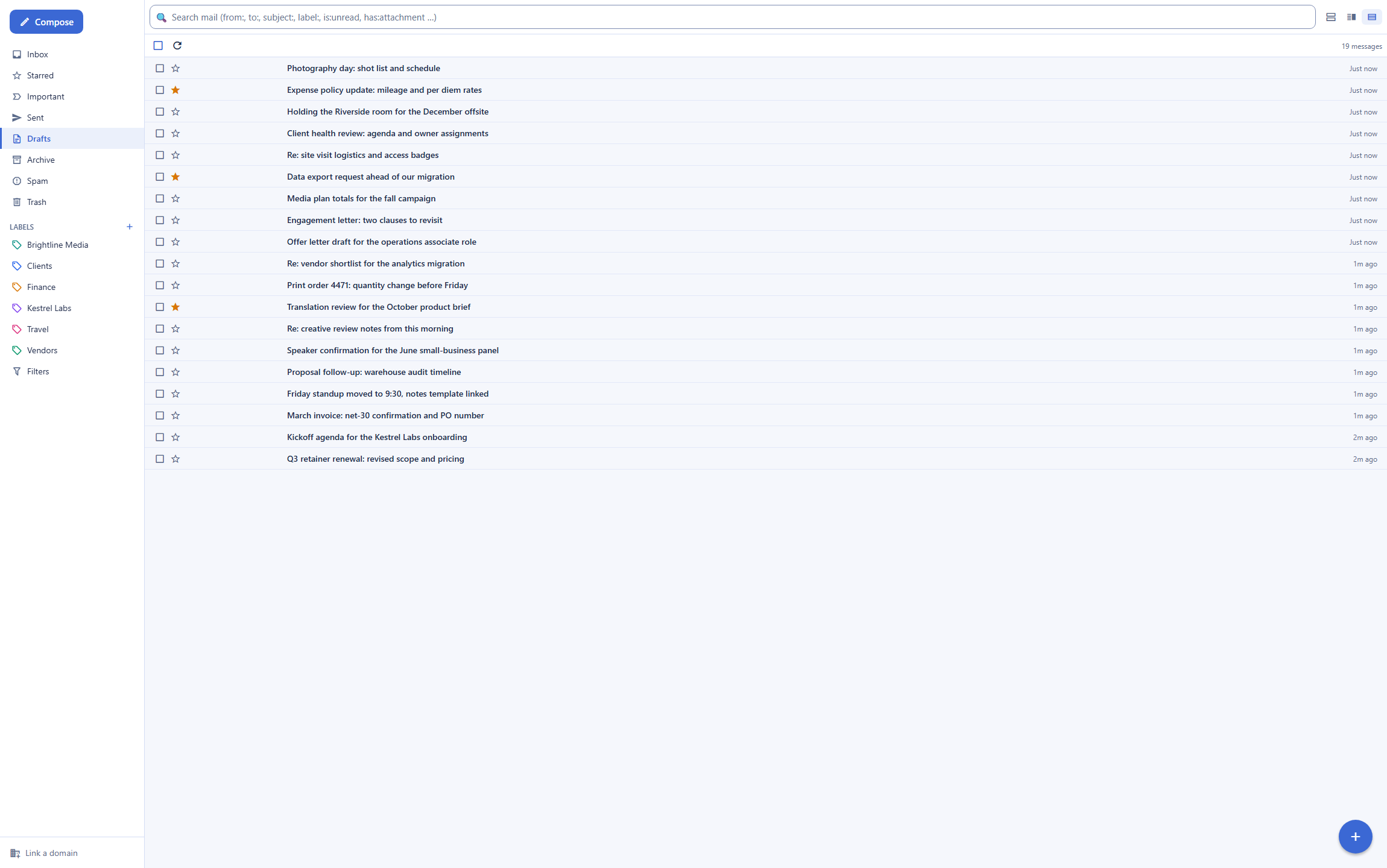
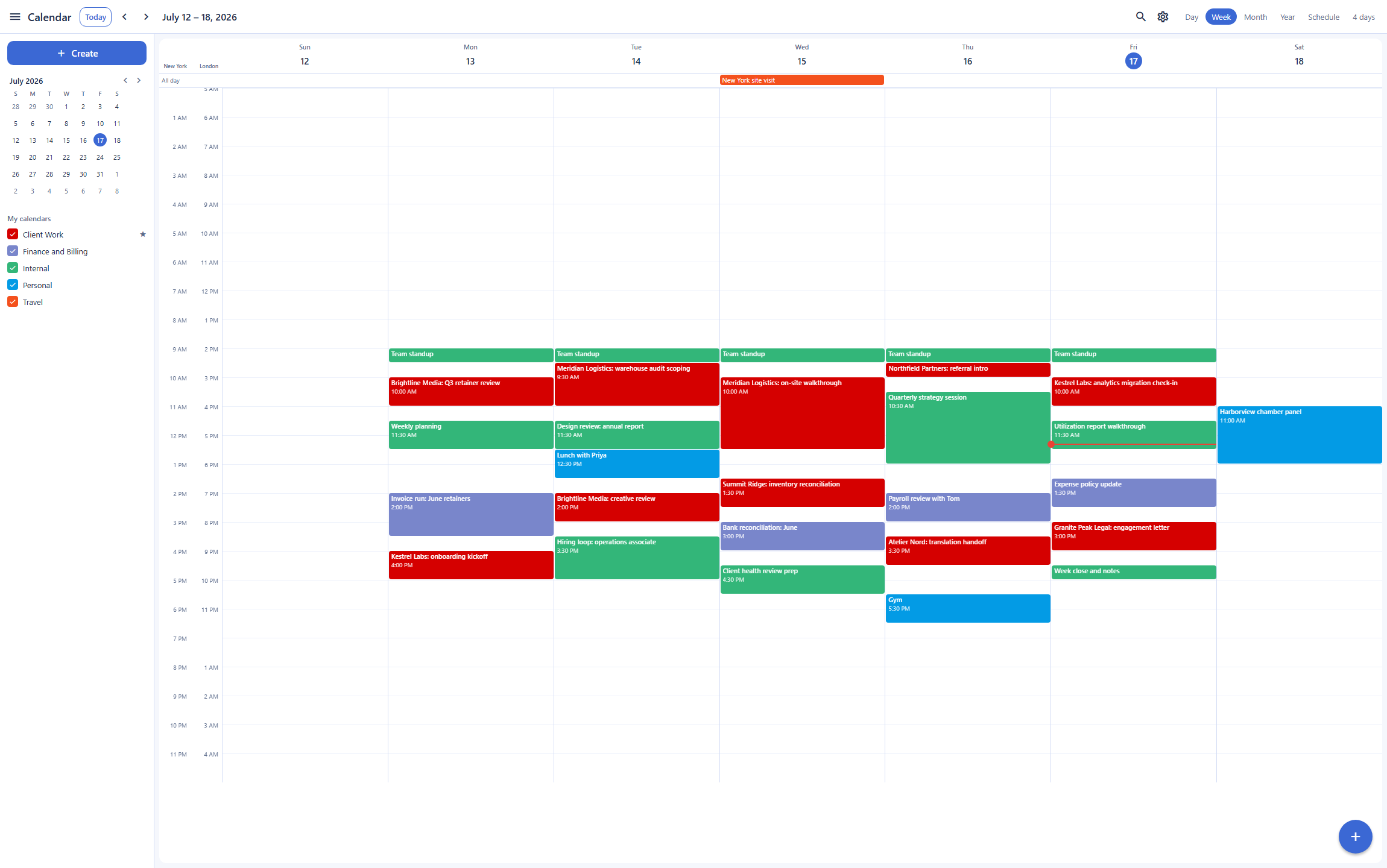
The calendar is where a move off Outlook usually stalls, because the meetings, invites, and shared calendars already live in Microsoft 365. Backbuild Calendar does not remove that friction yet: sync with Microsoft 365, Google Calendar, and CalDAV calendars is coming soon, and a connected account does not sync today, so a team moving off Outlook either keeps the Microsoft 365 calendar as its system of record or moves its scheduling to Backbuild Calendar outright. What crosses between the two today is the invitation: an event created in Backbuild Calendar with a Backbuild meeting and guests emails each guest a standard invitation that Outlook can add. Where Outlook leads on scheduling is depth: the Scheduling Assistant, resource and room mailboxes, and delegation are mature, and Microsoft Bookings provides customer-facing appointment pages, where the Backbuild booking pages are on the roadmap.
Governance on every plan versus governance by tier
Both products carry a full identity and governance surface, and Microsoft 365 is a broad, mature estate with deep administration. The difference is where the controls sit. Backbuild ships single sign-on, SCIM user provisioning (coming soon), role-based access control, and a tamper-evident audit log on every plan, including Free, with every mailbox action attributed and written in the same transaction as the operation it records. Microsoft gates several of the equivalent controls by tier: single sign-on and automated provisioning run through Microsoft Entra on business plans, and Microsoft Purview, which provides advanced audit, retention, eDiscovery, and Litigation Hold, sits on Business Premium and the enterprise E3 and E5 tiers. For a small team that still wants attribution and least-privilege access, the on-every-plan model removes a tier upgrade; for a large enterprise, Microsoft Entra and Purview are a deep, established estate that Backbuild does not yet match.
The API, MCP tools, and AI agents
Programmatic mail is a genuine parity point between these two products, not a Backbuild-only advantage, and it is worth stating plainly. Microsoft Graph exposes Outlook mail, calendar, and contacts over a mature REST API, and Microsoft builds agent tooling through Copilot Studio and the Graph. Backbuild answers with the same shape: the whole mail surface over a public REST API, and domain and mailbox provisioning as native MCP tools. The difference is in the surround. On Backbuild, the API and MCP surface is unified across the entire workspace under the same organization roles and permissions as the app, with every action recorded in a tamper-evident audit log on every plan, and the AI behind an agent runs on your own AI provider and model, or on Backbuild usage credits, rather than a bundled model. Microsoft centralizes advanced admin audit in Microsoft Purview on the higher tiers, and Outlook AI runs on Microsoft Copilot, a per-user add-on.
Common Microsoft Outlook frustrations and how Backbuild Mail addresses them
Paying per user for your own domain
Email at a custom domain requires a paid Microsoft 365 plan from 7 US dollars per user a month. Backbuild Mail includes email at your own domain on every plan, including free, with two linked domains and a wizard that sets up and verifies the DNS for receiving.
The July 2026 price increase and the Copilot AI fee
Microsoft raised the Business plan prices in July 2026, and the full Copilot assistant is a further 21 to 30 US dollars per user. Backbuild includes an AI assistant on every plan, on your own model or usage credits, with no per-user AI add-on.
The forced move to the new Outlook
The transition to the new Outlook for Windows has removed robust offline, PST support, and older add-ins for some users, a change many teams found disruptive. Backbuild Mail is a web-native client with a desktop app and a stable public REST API for anything scripted.
Setting up sending authentication yourself
Microsoft requires senders to authenticate with SPF, DKIM, and DMARC, which legitimate small senders often trip over. Backbuild Mail runs a guided wizard that sets up and verifies the inbound routing and DMARC records, automatically on a Cloudflare-connected domain, and outbound mail is signed by your own Resend account, with its key held in a vault, once you verify the domain there.
AI locked to one bundled model
Outlook AI runs on Microsoft Copilot bundled models. Backbuild lets the organization bring its own AI provider and model, or run on usage credits, so inference runs under a provider agreement the organization controls.
Per-user pricing that multiplies
Microsoft 365 is priced per user a month, so cost grows linearly with the team. The Backbuild workspace is included on the free plan for up to 50 members, with a mailbox provisioned automatically for each member.
Where Microsoft Outlook leads today
Microsoft Outlook is a deep, mature, near-universally-adopted product with strengths that are real and, in several areas, ahead of any newcomer. Its installed desktop client keeps a deep offline cache, and its iOS and Android apps are mature and polished, a bar Backbuild Mail does not yet match. Around the inbox sit capabilities Backbuild Mail does not offer today: IMAP, POP, and SMTP for third-party clients, Focused Inbox, Quick Steps one-click macros, message recall, undo send, scheduled send, and snooze, built-in mailbox migration and PST import, and S/MIME and Purview Message Encryption. Shared mailboxes ship today, with granular Reviewer, Author, and Editor delegation and executive and assistant delegation. The wider platform adds Microsoft Teams, Microsoft Bookings, Microsoft Purview for audit, retention, eDiscovery, and Litigation Hold, the AppSource add-in ecosystem, and Copilot AI, alongside a free consumer tier used by a large share of the world. Buyers whose requirements center on these capabilities have a concrete reason to stay with Outlook.
Which tool wins, by use case
Small business teams and the shared support@ inbox
A team's mail needs are structural: everyone gets an address, support@ and billing@ are worked by several people, and leavers must lose access cleanly. Backbuild Mail covers the first and the last: provisioning policies create a mailbox for each member automatically, and access ends with organization membership, with single sign-on, roles, and audit on every plan. It does not yet cover the middle: there is no control yet to delegate a mailbox to teammates, so a team works support@ through a virtual worker or the Backbuild help desk until shared-mailbox delegation ships. Microsoft 365 provides per-user addresses on its business plans and handles shared support through shared mailboxes with granular delegation, plus the Microsoft ecosystem and migration tooling for the cutover.
Freelancers and solo founders who want email at their own domain
A freelancer wants a credible address at their own domain, cheaply, and the back office around it. Backbuild Mail includes the own-domain mailbox free, with a wizard that sets up and verifies the inbound routing and DMARC records by reading back what is published, outbound mail signed by the freelancer's own Resend account, and the same free workspace covers invoicing and accounting and the calendar. Microsoft Outlook reaches the same custom-domain address on a paid Microsoft 365 seat from 7 US dollars a month, and in exchange the freelancer gets the installed desktop app, deep offline, mature mobile apps, and the Office suite. The pause for a Backbuild choice here is migration and mobile: Microsoft has a built-in importer for an existing archive and shipped mobile apps, where Backbuild has no import tool today and its mobile apps are still rolling out to the stores.
Power users who live in the desktop client, offline and on the move
Someone who works from an installed client, on planes and in low-connectivity environments, and leans on years of local mail, is squarely in Outlook territory. The installed Outlook desktop client keeps a deep offline cache, its search runs against that cache, and a built-in importer brings an old archive in, with Rules and Quick Steps automating the daily triage. Backbuild Mail is competent here rather than dominant: its server-side index reads the whole body of every message and answers word, subject:, and single-filter searches such as has:attachment, identically from every device with a browser, and a desktop app is available, but it keeps no offline mailbox and has no import tool to bring an old archive in.
Developers and automation teams who script their mail
For anyone who treats the mailbox as infrastructure, both products offer a real programmatic surface, so the decision turns on the surround. Backbuild exposes every mail operation over the public REST API and provisioning over native MCP tools, documented in the API reference, with a self-test mailbox to verify a sending route from a script and outbound routing through your own Resend account, whose key lives in the vault and is never echoed, all under organization roles and a tamper-evident audit log on every plan. Microsoft answers with the mature Microsoft Graph API and Copilot Studio for custom agents, backed by a far larger integration ecosystem and years of tooling, though its centralized advanced audit sits in Microsoft Purview on higher tiers and Graph throttles per workload.
Regulated organizations with eDiscovery and legal-hold requirements
For a program whose defining requirement is retention, legal hold, and eDiscovery, this use case leans clearly to Microsoft. Microsoft Purview provides advanced audit, retention policies, and data-loss prevention, with eDiscovery and Litigation Hold across the Exchange Online mailbox, backed by a large set of published attestations, though these controls sit on Business Premium and the enterprise E3 and E5 tiers. Backbuild offers a server-side index over retained mail and a tamper-evident audit log with per-organization isolation on every plan, but it does not provide Purview-grade legal hold, retention labels, or eDiscovery today, and it is not yet third-party audited.
Privacy-first personal email
Neither product is built for the buyer whose defining requirement is that the provider be technically unable to read stored mail. Both Outlook and Backbuild Mail hold the keys to the mailbox and read message bodies, which is what makes Outlook search and Backbuild server-side search work. A person who wants zero-access, provider-blind email should look at a provider designed for that model; the Proton Mail comparison covers that trade in full.
The daily inbox experience
A person evaluating these two products for daily use is comparing the inbox loop: finding mail, writing mail, and staying organized. On finding, both are strong: Outlook search runs across a large mailbox with operators and, in the desktop client, against a local cache, while Backbuild Mail runs a server-side full-text index that answers words, subject:, and single filters such as is:unread, label:, and has:attachment, competent for the everyday find-old-mail job, though sender, date, and combined searches are not supported yet. On triage, Outlook leads: Focused Inbox sorts important mail with machine learning and Quick Steps apply multi-action macros in one click, where Backbuild offers server-evaluated filters on new mail, re-runnable over existing mail through the REST API, but no learned priority inbox. On writing, Outlook offers undo send, scheduled send, and snooze, which Backbuild Mail does not offer yet, and both offer AI writing help, Outlook through Copilot and Backbuild through an assistant on your own model.
Where Outlook's daily experience is clearly stronger is the client itself: the installed desktop app reads and composes offline and its mobile apps are mature and shipped, while Backbuild's mobile apps are built and still rolling out to the stores and Backbuild Mail keeps no offline mailbox. Backbuild answers with a reading pane that can sit below, beside, or off, with keyboard triage, and the same account carries the calendar, files, and accounting. The daily bottom line: Outlook gives the deeper triage tools and the polished offline and mobile loop, while Backbuild Mail gives a competent find-and-file loop on any device with a browser, at your own domain, inside a wider workspace.
Rolling it out across a team
The person who moves a team onto a mail system answers for onboarding, shared addresses, and leavers. On onboarding, Backbuild provisioning policies create a mailbox for each member automatically once the domain wizard has verified DNS, while calendar sync with Microsoft 365 is coming soon, so scheduled meetings stay in Outlook until it ships. On Microsoft 365, an administrator provisions each account through Microsoft Entra, with built-in mailbox migration pulling each member's old mail in, a genuine advantage during the cutover month since Backbuild has no import tool today.
On shared addresses, Outlook leads today: Outlook shared mailboxes with granular delegation roles put several teammates in one inbox, while Backbuild Mail has no control yet to delegate a mailbox, so a team runs a shared address through a virtual worker or the help desk until shared-mailbox delegation ships. On leavers, Backbuild access ends with organization membership under role-based access control, and the audit log carries the deprovisioning evidence on every plan; Microsoft administrators disable the account in Entra, with Litigation Hold retaining the mail on higher tiers. The rollout bottom line: for a team whose budget favors governance included and a mailbox for every member, Backbuild's provisioning model does the structural work; for a team that needs shared inboxes now, keeps its calendar in Microsoft 365, or values the Microsoft ecosystem, granular delegation, mature offline apps, and built-in migration, Microsoft Outlook is the smoother landing.
Security, identity, and data governance evaluation
A security review of a mail platform turns on the threat model, identity controls, and evidence. On the threat model, neither product removes the provider from the trust boundary: both hold the keys and can read stored mail, so a program that requires provider-blind storage should look elsewhere. Within the key-holding model, Microsoft offers deep tenant controls, S/MIME and Purview Message Encryption for regulated mail, and published third-party attestations, while Backbuild adds inbound HTML sanitization and a signed image proxy that hides the reader's IP and a zero-knowledge, post-quantum vault for credentials.
On identity, Backbuild ships single sign-on on every plan including Free with SCIM 2.0 user provisioning (coming soon), where Microsoft configures single sign-on and provisioning through Microsoft Entra on its business plans. On evidence, the ledgers differ: Backbuild's audit log is tamper-evident, written in the same transaction as the operation it records, and free on every plan, while Microsoft provides advanced audit, retention, and eDiscovery through Microsoft Purview on Business Premium and the enterprise tiers. On external validation, Microsoft leads clearly with its compliance estate and attestations, where Backbuild is built to those frameworks but not yet third-party audited. On AI governance, Backbuild lets the organization bring its own AI provider, so inference runs under the organization's own provider agreement, where Outlook AI runs on Microsoft Copilot bundled models. A reviewer who must certify vendor attestations and needs Purview-grade eDiscovery today leans Microsoft; a reviewer building least-privilege access with provisioning, attribution, and a customer-controlled AI model on every plan leans Backbuild.
The economics for a finance and procurement review
The cost comparison has three parts: what mail costs, what forces upgrades, and what the choice displaces. On the mail itself, Backbuild Mail is free on every plan, including email at the company's own domain, with outbound mail sent through the company's own Resend account, which Backbuild does not charge for; the workspace itself is included on the free plan, and paid plans run 19 to 149 US dollars per seat a month. Microsoft 365 is per user: Business Basic at 7 US dollars, Business Standard at 14 US dollars, and Business Premium at 22 US dollars per user a month billed annually, after the July 2026 increase, with monthly billing priced higher and Copilot a further 21 to 30 US dollars per user. Consumer Outlook.com is free at an outlook.com address, a genuine advantage for individuals who do not need a custom domain.
On upgrade pressure, the item that moves an Outlook user to a paid Microsoft 365 plan is chiefly the custom domain and the per-user seat, with Purview audit and eDiscovery and the larger 100 GB mailbox on Plan 2 pushing further up the tiers, plus the Copilot add-on; on Backbuild the corresponding items are free, and the meters that do scale, session minutes and storage beyond the free allowance, are usage-priced, while outbound mail goes through the company's own Resend account. On displacement, Backbuild's same subscription includes accounting and invoicing, the calendar, a secrets manager, and a helpdesk; Microsoft 365 includes Microsoft Teams, the installed Office apps, and OneDrive and SharePoint bulk storage, strong value for a team already standardized on Microsoft. AI is structural: Outlook offers Copilot as a paid add-on, while Backbuild passes AI through at the customer's own provider rate or usage credits, a line procurement can price against an existing AI vendor agreement.
Strategic fit and vendor considerations
The strategic question is which platform bet each product represents. Microsoft Outlook is part of Microsoft 365, one of the most widely adopted and mature productivity suites in the world: a huge free consumer base, a deep add-in and integration ecosystem, Microsoft Teams, a large compliance estate, and decades of reliability at scale. An organization already standardized on Microsoft, or one that values ecosystem breadth and a long track record, is squarely in its center of gravity. Backbuild is a workspace platform in Early Adopter Alpha whose mail client is one surface among Backbuild Mail, Chat, Meetings, Calendar, Contacts, Docs, Sheets, Slides, Diagrams, and Photos, the photo, video, training video, audio, and music editors, Files, Backbuild Finances, and the helpdesk, with a public REST API and an MCP tool surface positioning every one of those surfaces, mail included, as programmable infrastructure for software and AI agents.
Maturity and continuity run differently on each side. Microsoft's product is established, its apps are shipped and polished, its offline and mobile clients are deep, and its ecosystem is vast; the tradeoff is per-user pricing, a July 2026 price increase, tier-gated governance, and a per-user Copilot AI fee. Backbuild's platform is young: several workspace members are marked Soon on the pricing page, mobile distribution is still rolling out, there is no offline mailbox or built-in migration, compliance is not yet third-party audited, and shared-mailbox delegation and calendar sync are coming soon; the tradeoff buys a free custom domain, governance on every plan, sending through your own Resend account, a bring-your-own AI model, and a consolidated workspace. An organization betting on ecosystem breadth and a proven track record is betting with Microsoft; an organization betting on consolidation, governance included, and agent-operated work is betting with Backbuild's roadmap.
Frequently asked questions
What is the best Microsoft Outlook alternative for business?
It depends on what the business needs. Backbuild Mail is the strongest fit for a business that wants email at its own domain without a per-user subscription and mail that software and AI agents can drive, because it includes custom-domain email, a mailbox for every member, a public REST API, and single sign-on with audit logging on the free plan; shared-mailbox delegation and calendar sync with Microsoft 365 are coming soon. Microsoft Outlook remains the strongest fit for a business that wants the deepest, most mature enterprise mail and calendar client: an installed desktop app with deep offline, mature mobile apps, granular shared-mailbox delegation, Microsoft Purview compliance and eDiscovery, and near-universal adoption. Compare the two feature by feature above and pick against the specific requirement.
Is there a free Microsoft Outlook alternative with a custom domain?
Yes. Backbuild Mail includes email at your own domain on every plan, including free, with two linked domains and a guided wizard that sets up and verifies the DNS for receiving, with outbound mail sent through your own Resend account. Consumer Outlook.com is free but only at an address ending in outlook.com or hotmail.com; email at your own domain in Microsoft Outlook requires a paid Microsoft 365 Business plan or an Exchange Online plan, and the Business plans start at 7 US dollars per user a month billed annually.
Is Backbuild Mail cheaper than Microsoft 365 for Outlook email?
For email at your own domain, yes. Backbuild Mail includes custom-domain email free on every Backbuild plan, where Microsoft 365 charges per user a month for the same: Business Basic at 7 US dollars, Business Standard at 14 US dollars, and Business Premium at 22 US dollars per user a month billed annually, after the July 2026 price increase, with the full Copilot add-on a further 21 to 30 US dollars per user. The wider Backbuild workspace is included on the free plan as well, and paid Backbuild plans start at 19 US dollars per seat. Microsoft 365 does include capabilities Backbuild Mail does not, so read the cost comparison alongside the feature matrix rather than on price alone.
Can Backbuild Mail replace Outlook for compliance and eDiscovery?
Not at the depth of Microsoft Purview. This is one of the clearest places Outlook and Microsoft 365 lead. Microsoft Purview provides eDiscovery, Litigation Hold, retention policies, and data-loss prevention across the Exchange Online mailbox, on the higher Microsoft 365 and Exchange tiers. Backbuild Mail keeps a server-side index over retained mail and a tamper-evident audit log on every plan, and it isolates every organization, but it does not offer Purview-grade legal hold, retention labels, or eDiscovery today. A program whose defining requirement is enterprise eDiscovery and legal hold should weigh that difference carefully.
Does Backbuild Calendar sync with the Outlook and Microsoft 365 calendar?
Not yet. Calendar sync with Microsoft 365, Google Calendar, and CalDAV calendars is coming soon; Calendar settings show a Connected calendars panel, but a connected account does not sync today. Until then, an event created in Backbuild Calendar with a Backbuild meeting and guests emails each guest a standard invitation that Outlook can add, and a reply arrives in your mailbox as an email. Appointment booking pages, the Backbuild answer to Microsoft Bookings, are on the roadmap and not shipped yet.
Can my team share a mailbox like support@ or billing@ with Backbuild Mail?
Not by delegating a mailbox yet. Backbuild Mail has no control yet for a mailbox owner to give a teammate access, so today a mailbox is read by its owner; shared-mailbox delegation is coming soon. Teams run a shared address today by giving it to a virtual worker whose owner reads its inbox, or by working customer requests together in the Backbuild help desk. Microsoft Outlook offers shared mailboxes today, with granular Reviewer, Author, and Editor permissions and executive and assistant delegation across mail and calendar, so a team that needs several people working one inbox now should weigh that.
Can I move my existing Outlook mailbox into Backbuild Mail?
Not with a built-in importer today. Backbuild Mail does not yet offer a migrate-in tool that pulls an existing Outlook or Gmail archive or a PST file into a new mailbox, and it does not expose IMAP or POP for a third-party client to copy mail across. Microsoft, by contrast, provides mailbox migration tooling and PST import for bringing mail into Exchange Online. If moving an existing archive in with a single tool is a hard requirement, that is a point in Outlook’s favor today.
Does Backbuild Mail work offline like the Outlook desktop client?
No. The installed Outlook desktop client keeps a deep offline cache, so mail can be read, searched, and composed without a connection, and the new and classic Windows clients and the macOS client are mature. Backbuild Mail is a web-native client with a desktop app for Windows and macOS, but it does not keep an offline mailbox today. A person who works on planes or in low-connectivity environments and depends on offline mail should weigh that gap.
Try Backbuild Mail free
Email at your own domain on every plan, a guided DNS setup, server-side full-text search, a mailbox for every member, outbound routing through your own Resend account, a public REST API with native MCP tools, and single sign-on with audit logging, inside the free Backbuild workspace. If your priority is shared mailboxes, the installed desktop client with deep offline, mature mobile apps, granular delegation, Microsoft Purview compliance, keeping your calendar in Microsoft 365, and the Microsoft 365 ecosystem, Microsoft Outlook remains the stronger choice.
Get started with Backbuild Mail